Tags #
Tags are key-value pairs that define objects. They are written as KEY=VALUE.
Some keys have a prefix or suffix. For example, mtb:scale:imba contains the key scale, which is prefixed with mtb to indicate the scale is for mountain biking and suffixed with imba to specify the IMBA trail classification system.
In general, OpenStreetMap discourages multi-value keys. Avoid setting multiple values for the keys using semicolons (`surface=grass;dirt`). Prefer single-value keys that most accurately describe the object.
Tags related to mountain biking #
highway
#
The highway key identifies a way as a travel path. This includes roads, trails, and more.
| Value | Description |
|---|---|
path |
Used for general travel. No specific travel method is determined. |
cycleway |
Used primarily for bicycles. |
footway |
Used primarily for foot traffic. |
track |
Used primarily for traffic that services agriculture or forestry. Not intended for general travel. |
The value assigned to the `highway` key does not necessarily restrict the use of bicycles. Other travel methods may be permitted. Refer to the value assigned to the `bicycle` key to determine what is permissible.
bicycle
#
The bicycle key denotes whether bicycle traffic is permitted. The values yes, no, and designated are most common.
| Value | Description |
|---|---|
yes |
Bicycle traffic is permitted. In contrast to designated, the value yes denotes that bicycle traffic is permitted, despite lacking clear indication. |
no |
Bicycle traffic is not permitted. |
designated |
Bicycle traffic is permitted, and this is clearly indicated. |
private |
Bicycle traffic is permitted for some individuals only. For example, by employees. |
permissive |
Bicycle traffic is not expicitly permitted. However, bicycle traffic is tolerated. |
dismount |
Bicycle traffic is not permitted. However, bicycles are permitted if the rider dismounts and pushes the bicycle. |
When choosing between `yes` and `designated`, remember that the `designated` value denotes that bicycle traffic is explicitly permitted, generally through signage.
foot
#
The foot key denotes whether foot traffic is permitted.
| Value | Description |
|---|---|
yes |
Foot traffic is permitted. In contrast to designated, the value yes denotes that foot traffic is permitted, despite lacking clear indication. |
no |
Foot traffic is not permitted. |
designated |
Foot traffic is permitted, and this is clearly indicated. |
private |
Foot traffic is permitted for some individuals only. For example, by employees. |
permissive |
Foot traffic is not expicitly permitted. However, foot traffic is tolerated. |
surface
#
The surface key describes the composition of a way.
| Value | Description |
|---|---|
ground |
A general surface that covers many surface compositions. Prefer a more specific value over ground. |
sand |
|
gravel |
|
grass |
|
dirt |
|
compacted |
A general surface that is mechanically compacted into a stable surface. |
The `surface` key accepts many more values. The previous values are most relevant to mountain biking.
smoothness
#
The smoothness key describes the condition and usability of a way by wheeled vehicles. In contrast to the surface key, the smoothness key does not describe the composition of a way.
| Value | Description |
|---|---|
excellent |
A perfectly smooth way in excellent repair. |
good |
A smooth way with minor wear. |
intermediate |
A way with notable wear. May pose issues for some wheeled vehicles. |
bad |
A way with major wear. Wheeled vehicles should exercise caution. |
very_bad |
A way that requires 4WD with high clearance. |
horrible |
Even 4WD vehicles with high clearance should exercise caution. |
very_horrible |
Should be avoided by all wheeled vehicles. |
impassable |
No travel advised for any wheeled vehicle. |
Mountain bikers should reconsider travel if a way has a smoothness value of horrible, very_horrible, or impassable.
tracktype
#
The tracktype key classifies the surface of a way as a grade. The tracktype key is often used with the tag highway=track.
In contrast to the surface key, the tracktype key does not describe the composition of a way. In contrast to the smoothness key, the tracktype key does not focus on wheeled vehicles.
| Value | Description |
|---|---|
grade1 |
|
grade2 |
|
grade3 |
|
grade4 |
|
grade5 |
trail_visibility
#
The trail_visibility key describes how easy or difficult it is to recognize a way.
| Value | Description |
|---|---|
excellent |
Little to no chance of losing track. |
good |
Easy to stay on track. |
intermediate |
Be aware. Possible to lose track. |
bad |
Easy to lose track. |
horrible |
At times nothing. no markers. no indication. |
no |
Mayben othing. No markers. No indication. |
oneway
#
The oneway key denotes whether traffic on a way is required to flow in one direction.
The oneway key is sometimes paired with the suffix bicycle to form the key oneway:bicylce. This may indicate a trail requires one-way traffic for bicycles, but other traffic may be two-way.
| Value | Description |
|---|---|
yes |
Traffic for the way travels in one direction. |
no |
Traffic for the way travels in any direction. |
roundtrip
#
The roundtrip key denotes whether the way starts and ends in the same location.
| Value | Description |
|---|---|
yes |
The way starts and ends in the same general location. The way is a loop. |
no |
The way starts in one location and ends in another. The way is not a loop. |
The mtb prefix
#
Mountain biking and cycling differ in many ways. The mtb prefix adds mountain biking-specific context to tags.
mtb:scale
#
The mtb:scale key classifies the difficulty level of a way as a grade. The grade scale is based on a German Singletrail-Skala scale system.
| Value | Description |
|---|---|
0 |
Accessible to most riders. Trail surface is packed and predictable. Expect slight inclines and no obstructions. |
1 |
Accessible to most riders. Trail surface may be loose at times. Expect mild inclines and few obstacles. |
2 |
Accessible to experienced riders. Trail surface is or otherwise challenging. Expect moderate inclines and frequent obstacles. |
3 |
Accessible to advanced riders. Expect steep inclines. |
4 |
Accessible to expert riders. Expect very steep inclines. |
5 |
Prohibitive access, even to the most expert riders. Exceptional control required. Expect extreme inclines. |
6 |
Inaccessible to non-professional riders. Trail may completely disappear. Expect extreme inclines and dangerous conditions. |
mtb:scale:imba
#
The mtb:scale:imba key uses the IMBA scale system. This system is commonly used in North America.
| Value | Description |
|---|---|
0 |
|
1 |
|
2 |
|
3 |
|
4 |
mtb:scale:uphill
#
The mtb:scale:uphill key uses a general grade scale to describe the uphill grade. Refer to the following image for a visual representation of grade:
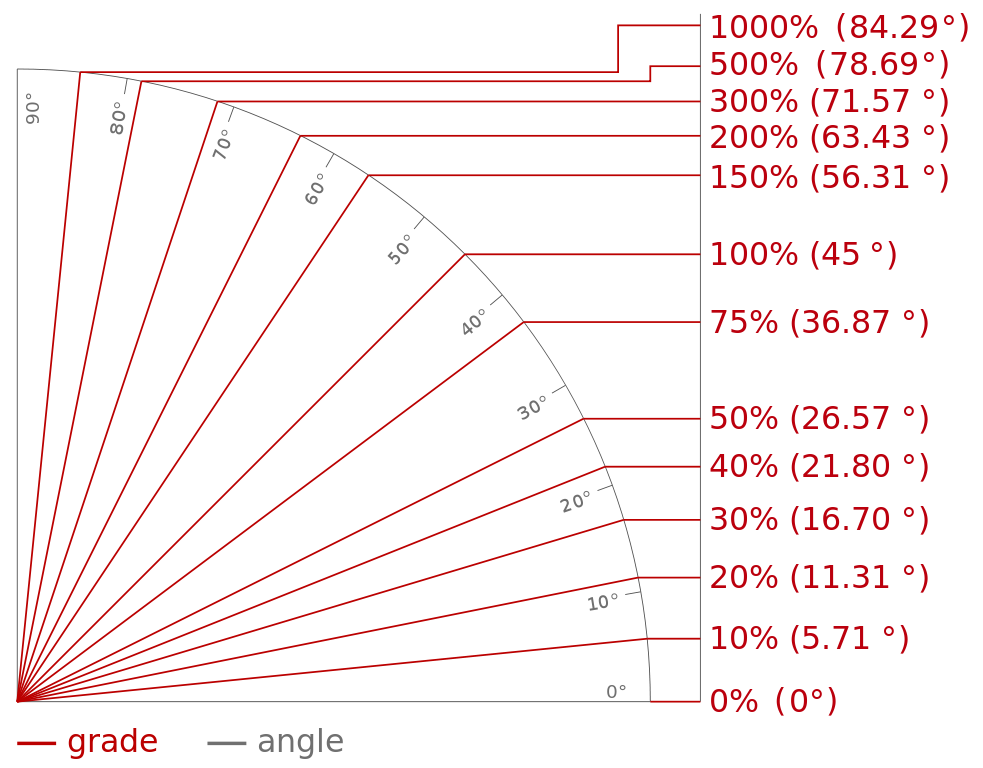 *Image credit: Trailism trail grades
| Value | Description |
|---|---|
0 |
|
1 |
|
2 |
|
3 |
|
4 |
|
5 |
mtb:description
#
The mtb:description key contains additional information about a way that:
- Is specific to mountain biking
- Can not be described adequately using tags
For example, mtb:description may be used to warn riders about challenging conditions of a trail: mtb:description=Parts of this trail are extremely dangerous after a heavy rain.
| Value | Description |
|---|---|
| Any string | A plain text description that provides additional context. |
Examples #
The images in this section were created using generative AI.
Logging road #
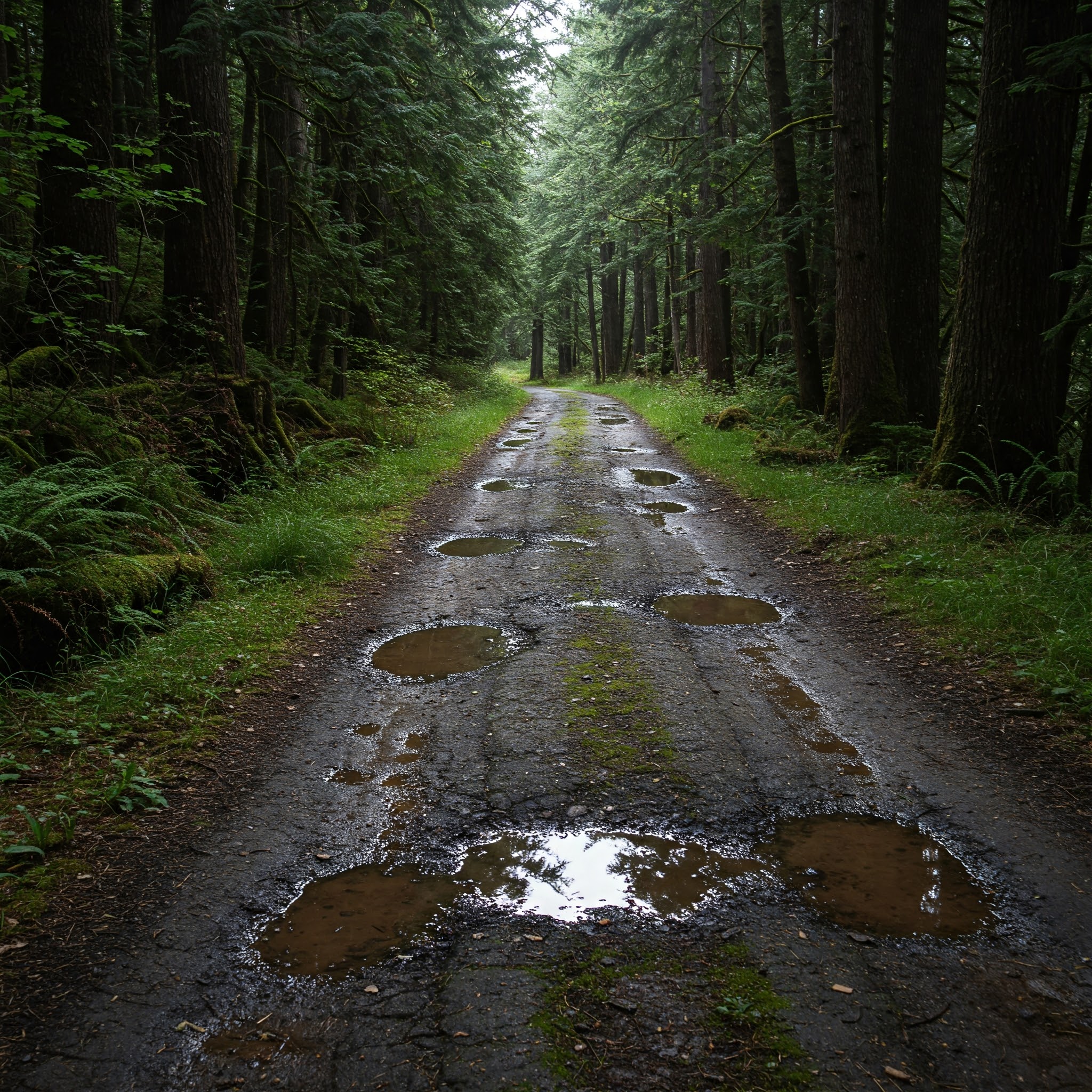
This image depicts a logging road that passes through the forest. There are potholes in the road, but they are shallow.
Keys #
| Key | Value |
|---|---|
highway |
track |
bicycle |
yes |
surface |
dirt |
smoothness |
good |
trail_visibility |
excellent |
mtb:scale |
1 |
Breakdown #
highway=track:bicycle=yes:surface=dirt:smoothness=good:trail_visibility=excellent:mtb:scale=1:
Beginner trail #
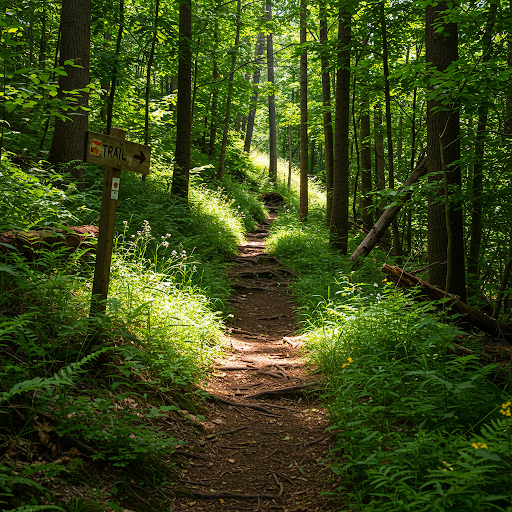
This image depicts a forest trail. The trail is well-maintained and features trail markers.
Keys #
| Key | Value |
|---|---|
highway |
path |
bicycle |
yes |
surface |
dirt |
smoothness |
intermediate |
trail_visibility |
excellent |
mtb:scale |
1 |
mtb:description |
May become challenging after rain. |
Breakdown #
highway=path: The way is a general use path. This is a common tag for biking trails.bicycle=yes: Bicycle traffic is permitted. However, note the value is notdesignated. Foot traffic and other travel methods are also allowed.surface=dirtandsmoothness=intermediate: The trail is well-maintained trail. However, tree roots degrade the trail smoothness. As a result, the valueintermediateis used instead ofgood.trail_visibility=excellent: The trail is easy to follow. The visibility is enhanced by the prominent trail marker.mtb:scale=1: Due to the roots in the trail, the value is increased to1.
Mountain trail #
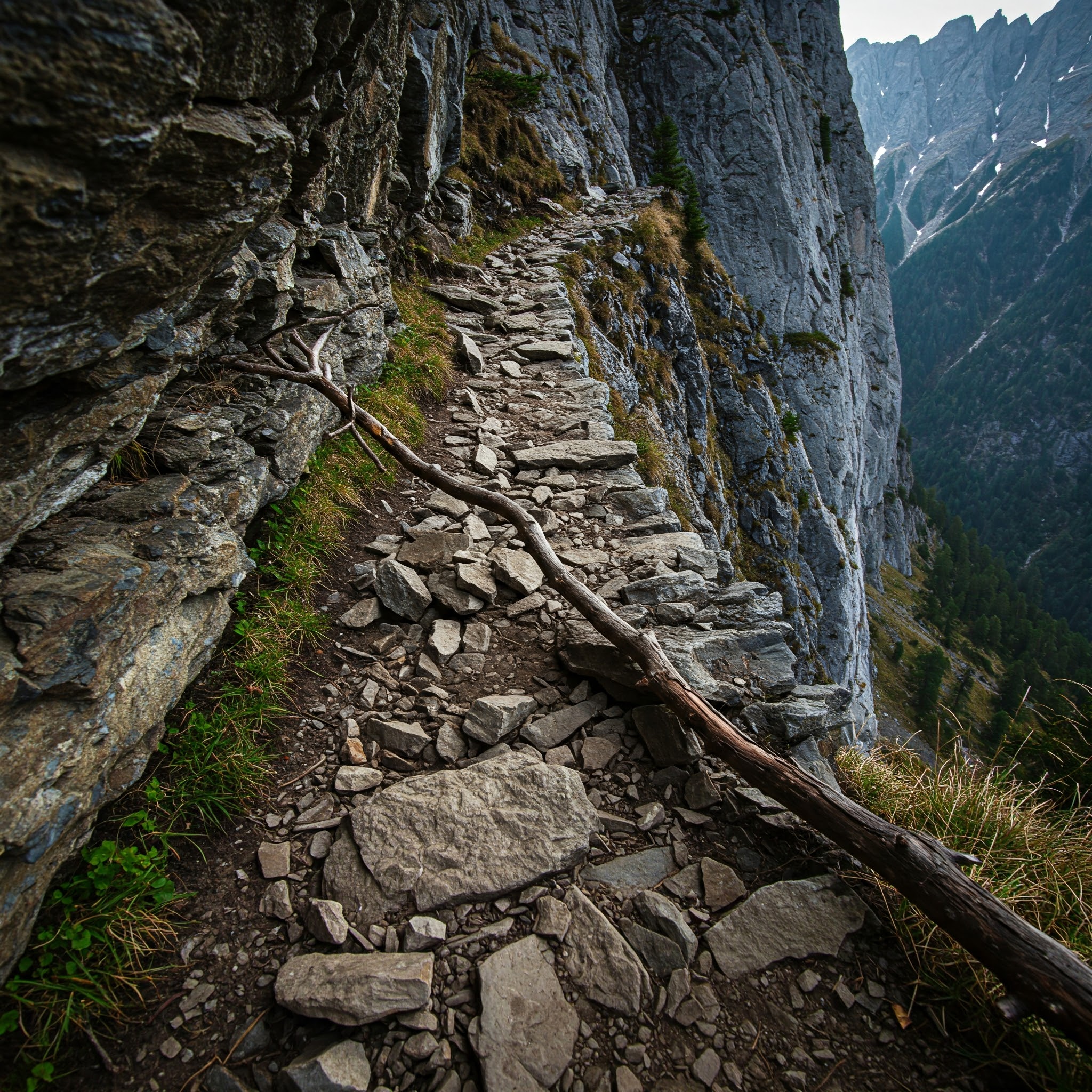
This image depicts a challenging mountain trail. The trail surface is rocky. A fallen branch blocks the trail.
Mountain trail #
| Key | Value |
|---|---|
highway |
path |
bicycle |
yes |
surface |
stone |
smoothness |
good |
trail_visibility |
good |
mtb:scale:imba |
3 |
mtb:description |
Beware of rock overhang. Low maintenance trail. Expect some obstacles. |
Breakdown #
highway=path:bicycle=yes:surface=stoneandsmoothness=good:trail_visibility=good:- |
mtb:scale:imba=3:
Landslide #

This image depicts a muddy trail that has collapsed due to a landslide.
Keys #
| Key | Value |
|---|---|
highway |
path |
bicycle |
yes |
surface |
dirt |
smoothness |
impassable |
trail_visibility |
good |
mtb:scale:uphill |
|
mtb:description |
Danger! Do not use this trail until it is rerouted. A landslide has ruined several portions of the trailing, leaving them impassable. |
Breakdown #
highway=path:bicycle=yes:surface=dirt:smoothness=impassable: Prior to the landslide, the trail appeared to be well-maintained. However, the landslide makes the trail dangerous for use by wheeled vehicles. Until the trail is rerouted, the valueimpassableis assigned.trail_visibility=good:mtb:scale=uphill:mtb=description: